Website design project
CHAD: Chemical Hazard Assessment Database
Environmental Health and Chemical Safety website, Boston MA
Project overview
Design screenshots
Project details
Turning complex chemical assessment data into an intuitive research tool
The finished website transforms a highly technical collection of chemical hazard information into a resource that can be searched, filtered, browsed, and understood by a much wider audience.
Instead of forcing visitors to know exactly where information is stored, CHAD provides several interconnected ways to reach it: direct search, advanced filters, chemical-function categories, detailed tags, sortable tables, and related assessments. Each feature is generated from the same structured database, keeping the experience consistent as the collection grows.
Project Goals and Requirements
The Chemical Hazard Assessment Database (CHAD) is a custom-built research tool developed for the Interstate Chemicals Clearinghouse. It gives government agencies, businesses, researchers, and the public a practical way to find and compare GreenScreen® chemical hazard assessments.
This project required much more than placing content into a standard website template. The underlying information includes chemical names, CAS Registry Numbers, benchmark scores, assessment dates, expiration dates, synonyms, chemical functions, supporting documents, and relationships among chemicals. I designed and developed a custom ExpressionEngine website that turns this complex dataset into an approachable, searchable resource.
- Make technical chemical-assessment data easier to find and understand.
- Allow users to search by either chemical name or CAS Registry Number.
- Support researchers who need more precise filtering, sorting, and comparison tools.
- Organize assessments by the ways chemicals are commonly used.
- Help users discover related chemicals and assessments.
- Reduce duplication of research by making existing assessments readily accessible.
- Give IC2 staff a manageable system for maintaining a growing database.
My Approach
CHAD was built as a custom ExpressionEngine application around the client’s data and research workflow—not by adapting the project to the limitations of a premade theme or WordPress plug-in.
The public pages, CMS fields, search interface, filtering logic, autocomplete tools, category tables, tagging relationships, and related-assessment calculations were developed specifically for this collection.
This approach gives IC2 a site that works like a focused research application while retaining the content-management flexibility needed by its staff.
What I Custom Built
Simple and advanced chemical search
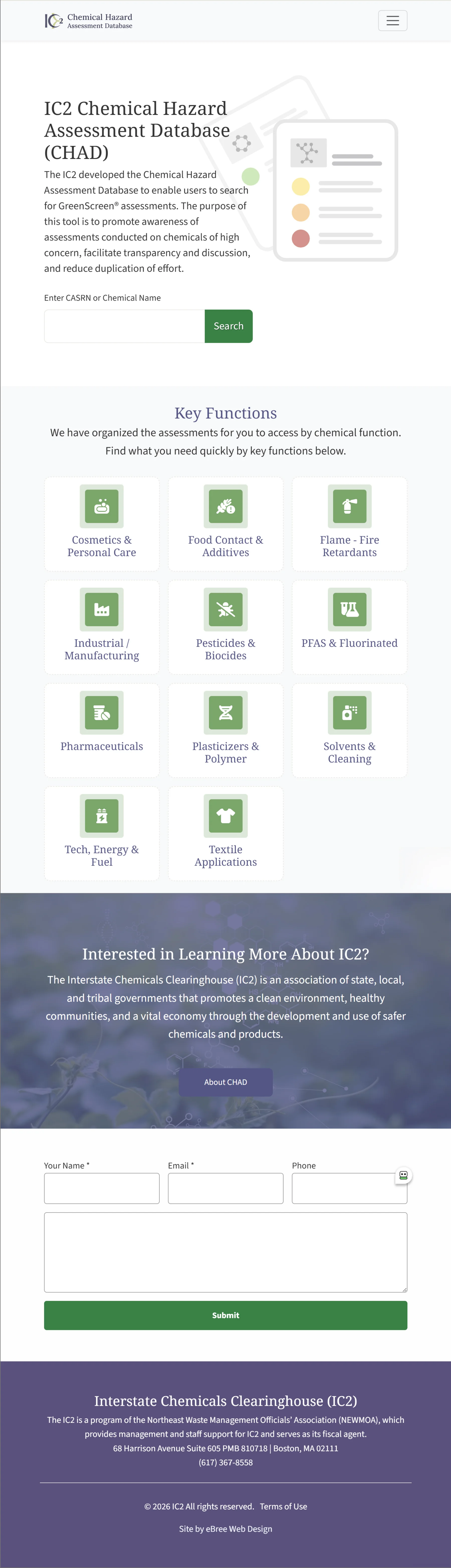
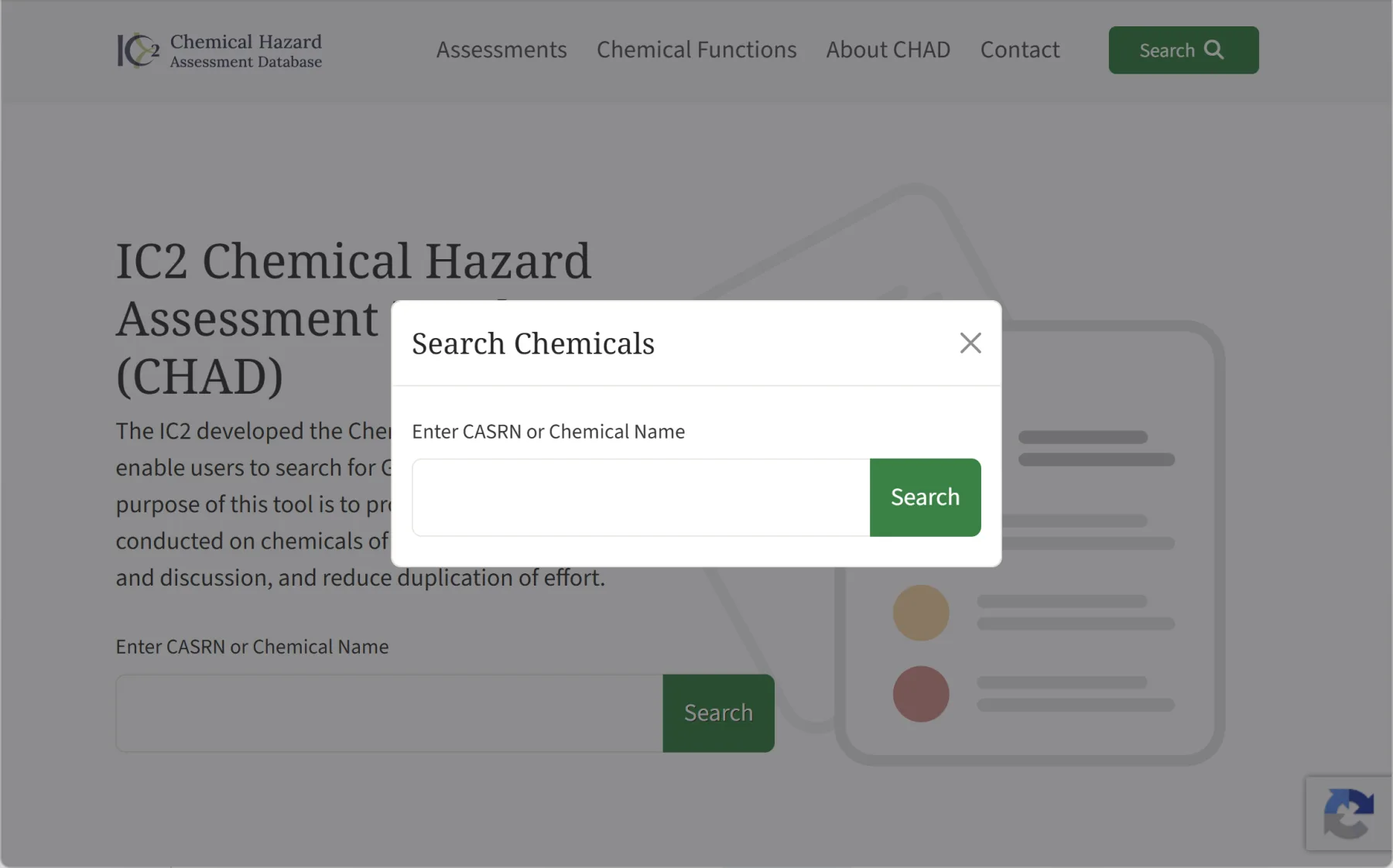
A prominent homepage search lets visitors immediately search by chemical name or CASRN. The same streamlined search is available from anywhere on the site through a custom search overlay, keeping the primary research tool within easy reach without cluttering every page.
Search results can then be refined using the same advanced controls available in the full assessment database.
Live assessment filtering
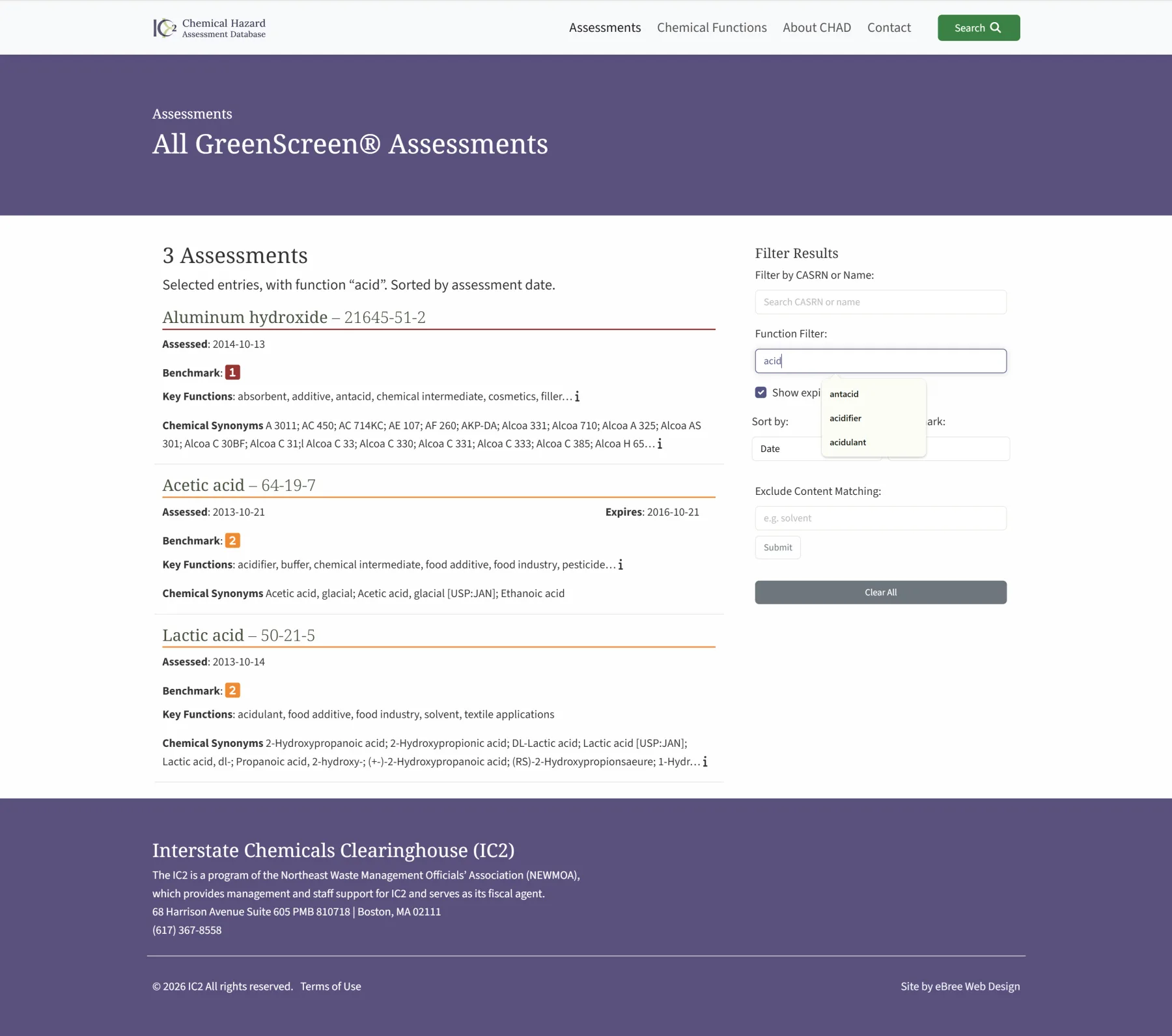
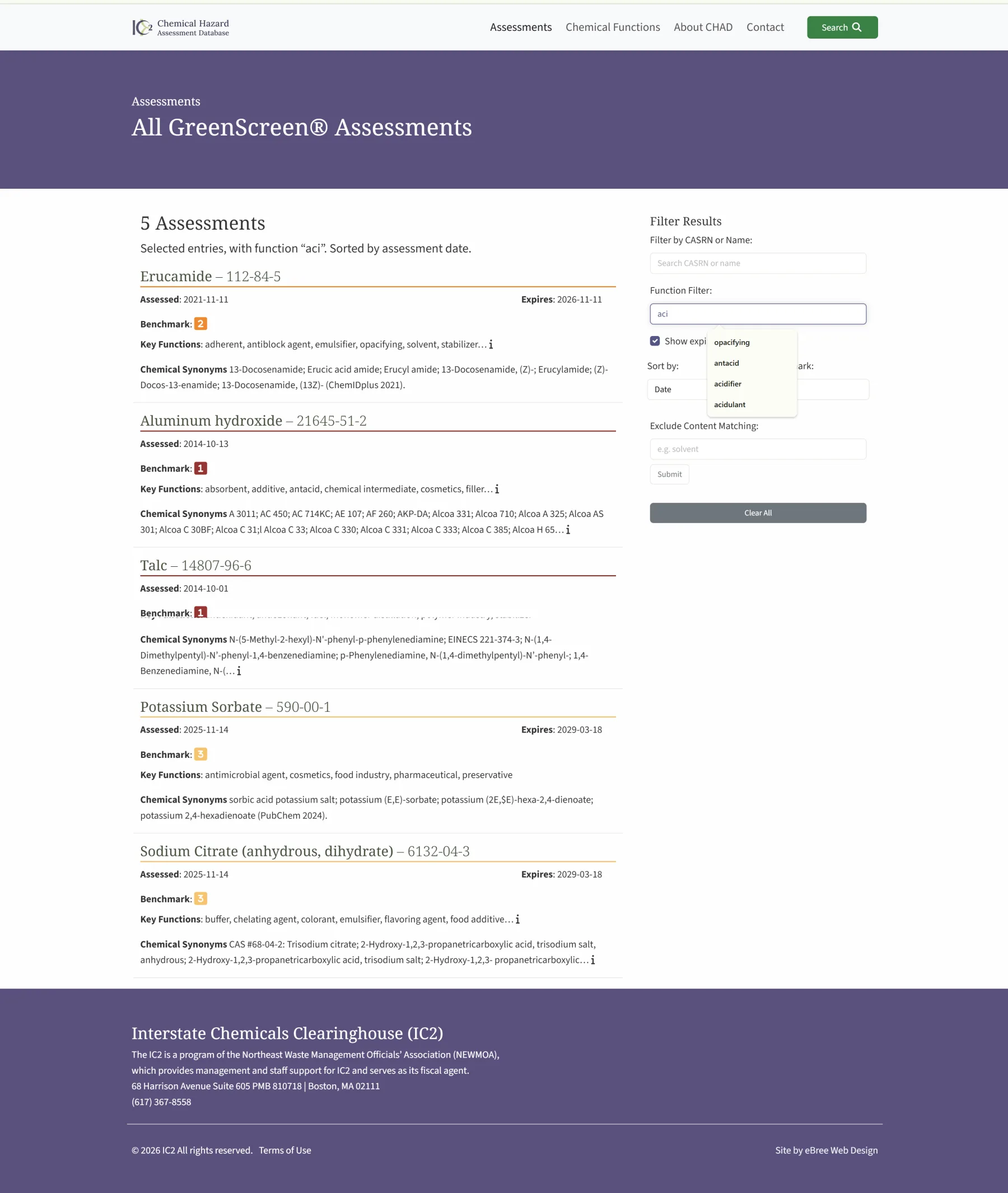
The assessment directory was built as an interactive filtering application rather than a conventional list of CMS entries.
Users can:
- Begin typing a chemical name or CASRN and select from matching records.
- Search for a chemical function using autocomplete suggestions drawn from functions actually present in the current results.
- Filter by GreenScreen benchmark score.
- Include or exclude expired assessments.
- Exclude records containing a particular word or phrase.
- Sort results by assessment date, chemical name, CASRN, or benchmark score.
- Clear all filters and return to the full collection.
The results, totals, and summary text update dynamically as selections change, allowing researchers to refine the database without repeatedly loading separate search pages.
Context-aware autocomplete
The chemical and function fields do more than search a static master list. Suggestions are generated from the records currently available within the selected result set.
As filters are combined, the available choices adjust with them. This prevents users from selecting options that would produce irrelevant or impossible combinations and makes a complicated database feel much more intuitive.
Chemical-function navigation
The site provides two complementary ways to organize chemical use:
- Broad function categories create the primary “Chemical Functions” navigation shown on the homepage.
- Detailed function tags describe the specific uses associated with each chemical and power the advanced filtering and related-content tools.
Benchmark scores are maintained separately as structured assessment data, allowing them to be displayed, filtered, and color-coded consistently throughout the site.
Interactive function tables
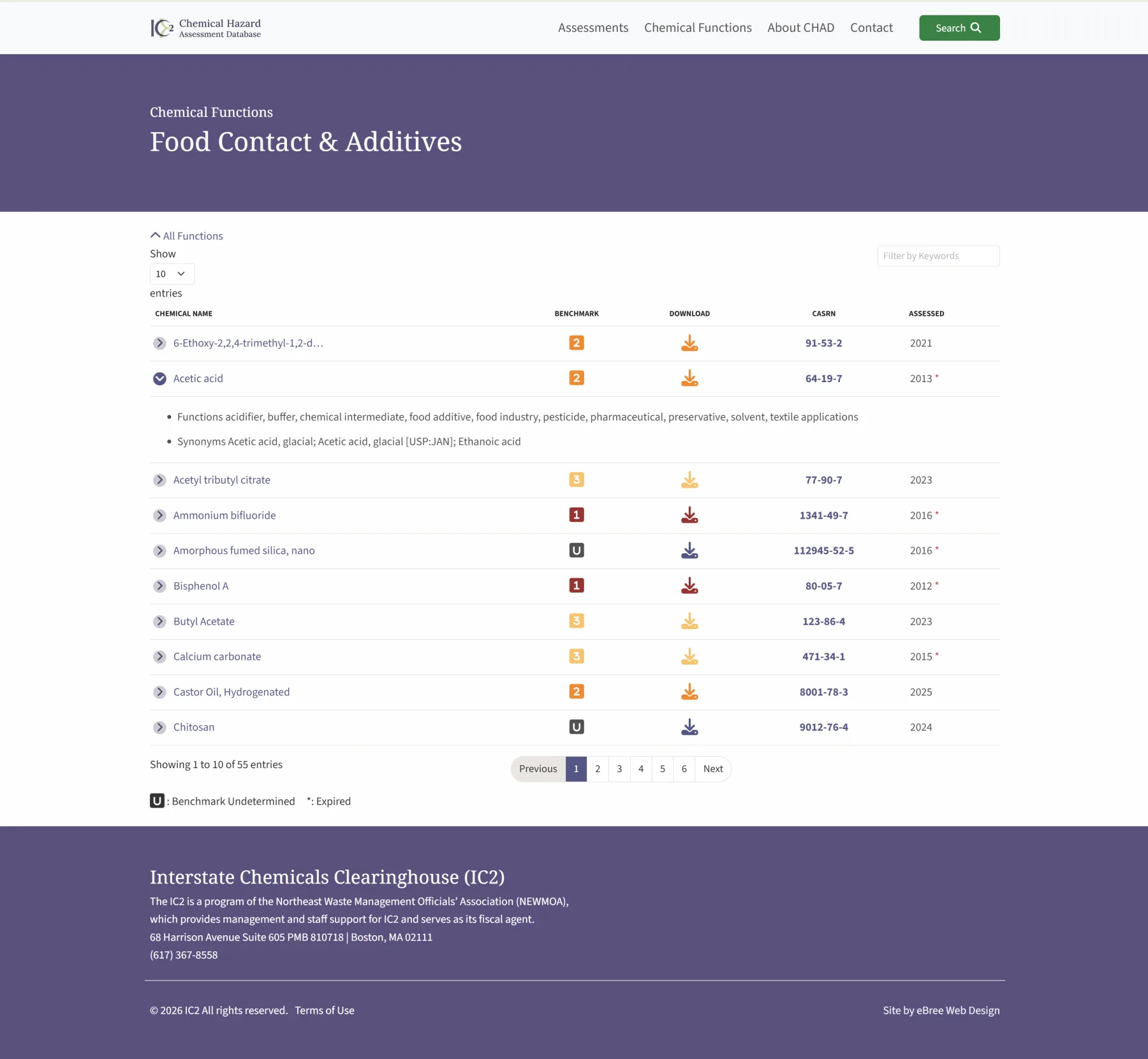
Each major chemical-function category has its own dynamically generated assessment table.
Visitors can:
- Filter the table instantly by keyword.
- Sort records by chemical name, benchmark, CASRN, or assessment year.
- Change the number of records shown.
- Move through paginated results.
- Expand an assessment to see its functions and chemical synonyms.
- Open the full chemical record or download its assessment.
Typing a term such as “acid” immediately narrows the visible records to matching chemicals or information, without requiring a new search submission.
Custom chemical assessment pages
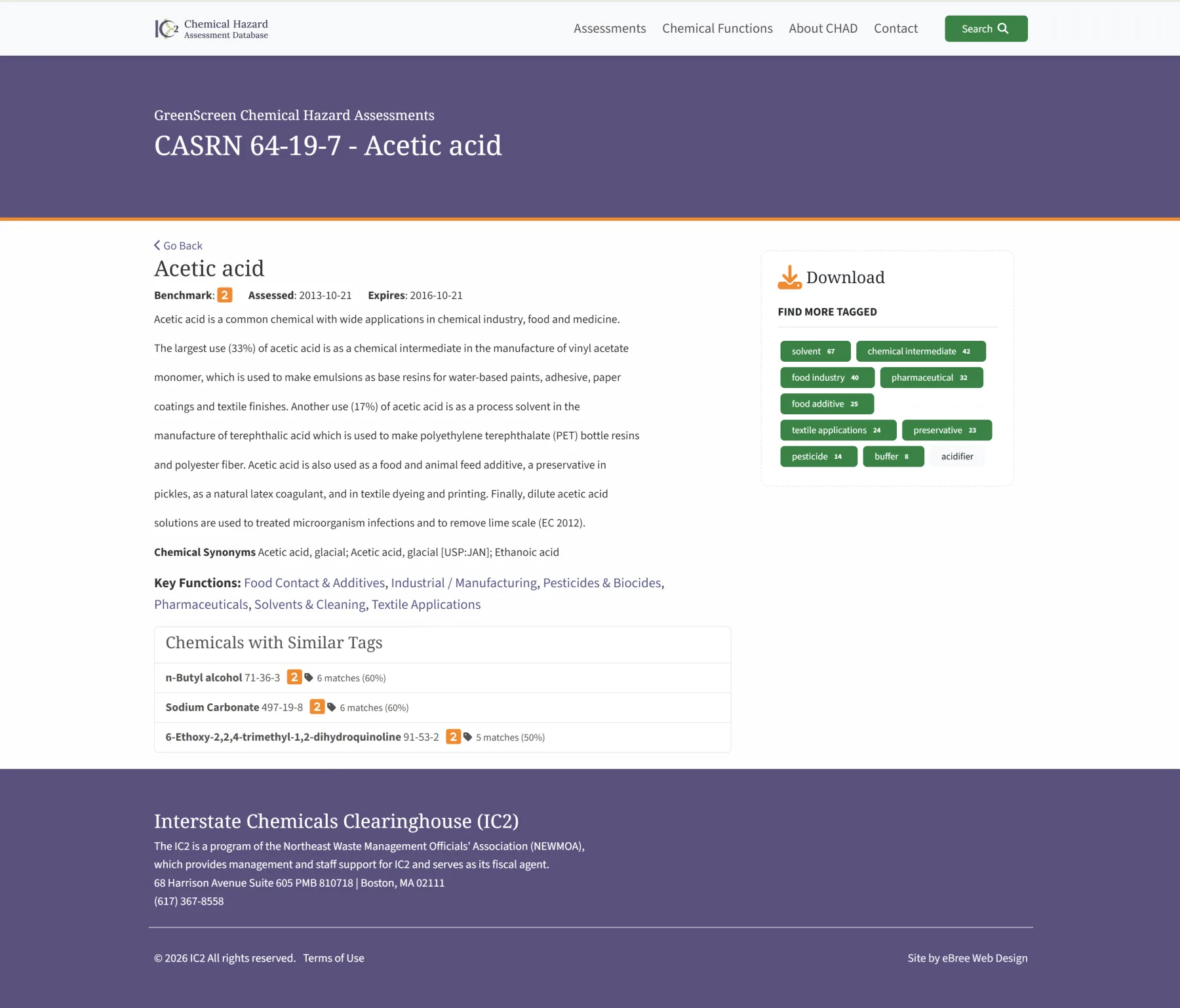
Each assessment page brings the most important information together in a consistent format, including:
- Chemical name and CASRN.
- GreenScreen benchmark score.
- Assessment and expiration dates.
- Chemical description and supporting notes.
- Synonyms.
- Broad function categories.
- Detailed function tags.
- Assessment download.
The benchmark information is visually emphasized while still being presented as text, so the meaning is not dependent on color alone.
Related chemicals based on shared functions
Rather than displaying arbitrary “related posts,” CHAD calculates meaningful relationships between chemical records.
Each assessment can identify chemicals with the greatest number of function tags in common. The site displays the number and percentage of shared tags, giving researchers a useful path to chemicals with similar applications.
Function tags also serve as direct navigation links. Selecting a tag such as “solvent,” “preservative,” or “chemical intermediate” takes the visitor to other assessments associated with that same use.
Structured content management
The administrative system was customized around the way IC2 manages chemical data. Chemical names, CAS numbers, scores, dates, synonyms, functions, notes, and documents are maintained as structured fields rather than being buried in general page content.
That structure makes the information reusable across search results, tables, individual pages, category directories, related-chemical calculations, and future data tools.
Responsive and accessible interface
The website was designed for researchers using different devices and assistive technologies. The custom controls use clear labels, logical heading structures, keyboard-accessible interactions, visible focus states, and text equivalents for visual indicators.
On smaller screens, the advanced filtering tools can be condensed so the results remain the primary focus while the full search functionality remains available.